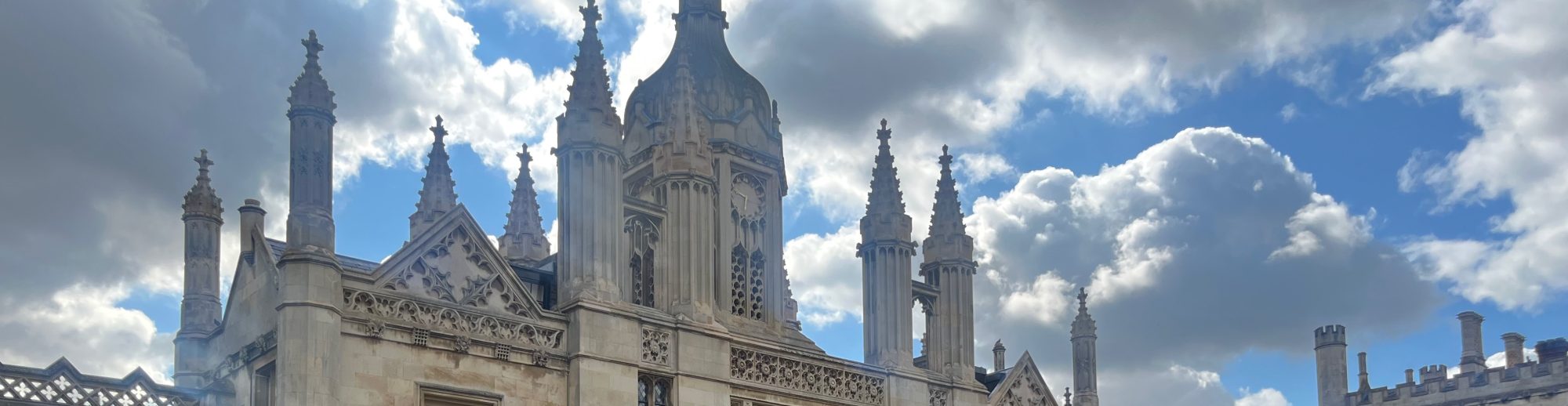
In my last post, I briefly discussed moving (or at least removing) the last of my physical belongings from my office at Whitman. In this post, I dig into my OmniFocus task completion log to consider everything that went into moving my digital belongings. For context, I lose access to my Whitman accounts six months after my formal resignation, at the end of January 2027.
Project and task management
Decades ago, a grad school classmate introduced me to Getting Things Done by David Allen. By now, I’ve used OmniFocus for well over a decade; I think I adopted it when I was at Grinnell College and discovered my Hipster PDA was not up to the job of managing a faculty workload. (Specifically meetings: the third time I double-booked myself, I got an iPhone.) Although I haven’t always kept up with my weekly reviews, OmniFocus has always been there for me to dump action items into and know they won’t be completely forgotten.
I’ve noticed I tend to use OmniFocus more diligently when I have well-defined projects with multiple milestones; less diligently when my work is routine. At Whitman, I would use OmniFocus heavily when preparing to teach, when I would think of task after task and need to check them all off (or at least most of them) before the semester started. During the semester, my workload was largely determined on a daily and weekly basis by the syllabus, my inbox, and my to-do list on Canvas. With so much routine and so many other externalized plans, I just didn’t need OmniFocus as much. (This is not to say I never needed a to-do list. I may write another blog post on my various forms of personal information management over time.)
My change in role has me using OmniFocus more diligently again. For now, at least, my work is less routine, so I need to plan more carefully. Fortunately, I have more time available to maintain my systems.
One of the first tasks in my digital move was to recognize that “Leaving Whitman” was a project that belonged in OmniFocus. And one of the first tasks I completed from that project was to review all my Whitman-related projects in OmniFocus and either drop them or recategorize them.
What I kept: Anything directly related to teaching or students. For example, the projects on hold that contain my random ideas for the next time I teach a class, and also the project I use to keep track of writing reference letters for students. Those tasks haven’t gone away.
What I dropped: Anything to do with college service or administration. There were a few items in my “Department Business” project I passed over to William as the new chair.
I will mark the “Leaving Whitman” project as done, once it is finally done.
Beyond projects, OmniFocus also organizes tasks with context tags. I use them prolifically. Some simply changed in meaning. For example, “Office” no longer means my office at Whitman but my Office at King’s. Others are more context specific. For example, “CS Lab” became “Whitman CS Lab” and now probably ought to be deleted. There are also all the online systems owned or adopted by Whitman (MyWhitman, Canvas) or otherwise related to my work at Whitman (CATME, Zybooks) that I no longer need to use.
Calendar
I received the excellent advice to clear my Whitman calendar of recurring meetings. Why? As a courtesy to people who might be invited. If I had a recurring meeting on an account I could not longer log in to, no one could modify or delete it.
This meant getting my husband to take over a recurring meeting with his side of the family. It also meant requesting a Zoom account at Cambridge so that I can host meetings for my international collaborations.
Going forward, my Whitman calendar is completely empty. I still need to remove it from the calendar accounts on my phone and laptop.
Email is a big one and stretched out over a long time.
I started by updating my permanent forwarding address with the ACM, my professional society, to point to Cambridge rather than Whitman. I changed my “vacation message” to share the news about my resignation, rather than my sabbatical, and to encourage correspondents to resend their email to my forwarding address.
I decided not to set up forwarding from my Whitman account. Too much of the email I receive at Whitman is no longer relevant – and in fact, it’s an opportunity to escape all the newsletters I no longer want to read. I am continuing to check my Whitman email occasionally. The amount is dwindling and I’m deleting nearly all of it.
Anticipating that someday I might move again, I updated my work-related tool accounts to log in with my permanent forwarding address instead of my Whitman address or my Cambridge address. Notable examples include WordPress, Toggl, Trello, GitHub, Overleaf, EasyChair, ZyBooks, and LinkedIn.
Abandoning my Whitman email address also presented a good opportunity to comb through my password manager and delete accounts I would not be using in the future, including several pandemic-era services and some accounts that were still lingering from my time at Grinnell.
Moving my ACM email list subscriptions was more of a project than it should have been, but it got done with some correspondence with moderators. There are a few other email newsletters I have resubscribed to with my Cambridge account.
That takes care of receiving email in the future. Then there are my voluminous email archives. I remain an old-school email user who organizes everything I might ever need again into folders.
At Whitman, I used Gmail. If Cambridge had also adopted Gmail, it would have been easy to export my email folders using Google Takeout Transfer. But no, Cambridge uses Outlook for email.
There are commercial tools for transferring email between accounts on different mail services. But all those tools are forbidden access unless explicitly granted by Cambridge University IT services. I already knew that was unlikely to be granted.
I seriously explored using Google Takeout Transfer to move my Whitman email to a new Gmail account created just for that purpose. But it turns out I am already at my limit for new Google accounts associated with both of my phone numbers (US and UK). And I think I arrived at a better solution anyway.
In the end, I downloaded an archive of my Whitman email using Google Takeout. I imported the MBOX files into Thunderbird on my laptop, where I also have my Cambridge Outlook account connected via IMAP. Using Thunderbird, I moved only the email folders related to active projects to the Outlook server, where they were merged with existing Outlook folders. In the future, I can continue to upload individual folders to the Outlook server if and when I need them. (For computer scientists, it amuses me to think of this as a cache hierarchy.)
But there were false starts. The first archive I downloaded was unmanageably large – I eventually gave up on the Thunderbird import. I realized I didn’t want to move email that I hadn’t bothered sorting into folders. And then I realized there were folders I didn’t want to move – particularly those related to faculty or department business, and those related to searches, which I ought to have deleted as soon as the search was over. The original archive was over 11.5 GB zipped, while the final archive was just 2.5 GB zipped.
Google Drive
By comparison, Google Drive was easy. Since Cambridge does offer Google Drive as a service to all account holders, I could use Google Takeout Transfer to move the contents of “My Drive” at Whitman to “My Drive” at Cambridge.
I did some cleaning up first. I would say I had learned my lesson, but I actually dealt with Google Drive before my email because it was so much easier. I also found documents that I created in the shared CS Department drive (mostly teaching materials) and copied them to “My Drive.”
The Transfer tool put everything from my Whitman account into a new folder in my Cambridge account. From there, I moved some things (like “Talks” and “Essays”) down to the top level. Other things, like teaching materials, I moved up to my “Attic” folder.
I also owned the shared drive for the aforementioned collaboration. We worried this would be really hard to deal with, but it ended up being fairly easy. A colleague at another institution created a new shared drive. I moved all the files over and granted access to all our collaborators. It was a good opportunity to prune inactive collaborators, as well. Fortunately, I was able to verify that sharing links for individual files and folders were preserved.
LMS courses
Not all my teaching materials live on Google Drive. Whitman adopted Canvas just before my daughter was born – in fact, I was one of the faculty who did a semester-long test drive with two different Learning Management Systems (LMS).
Fortunately, Canvas makes it possible to export whole courses in a common format (file extension imscc, in case I misplace them again). I found the most recent offering of all my courses and downloaded archives to my laptop. (They are in a folder named Canvas, in case I misplace them again.)
My intention is to re-import those courses into Canvas Free-For-Teacher so that it’s possible to look at what’s in them. Why haven’t I done that yet? The service isn’t available; it’s being rebranded as Canvas Lite. Hopefully I can remember where I put the course files until it’s available again.
Browser profiles
My current web browser is Chrome. I used to use my Whitman profile for everything. My experiments with Google Takeout Transfer finally motivated me to create multiple Chrome profiles – one for Whitman, one for Cambridge, and one linked to my personal email.
I hope this will make it easier to abandon my Whitman profile when I can no longer login to that Google account. But honestly, I wish I had done it sooner. The only hiccup is that I need to get my husband’s help logging into some shared family accounts from my new personal profile – notably Netflix.
Online presence
Close to my official resignation date at the end of July, I updated my profile information on LinkedIn and Facebook. I used a recent blog post as motivation to share my change in status. When I got a new headshot I liked, I added it to my LinkedIn account (and also Google and Gravatar).
This blog was originally hosted on Whitman’s institutional WordPress site. Fortunately for me, Whitman wound down that service almost three years ago, so I had support from the Communications office to move my blog onto the public WordPress hosting service. I updated the banner photo and About page to reflect my change of affiliation.
I also needed to at least minimally update my professional homepage. I updated my CV at the same time.
Moving my Google Scholar profile from Whitman to Cambridge was surprisingly easy. I suspect I had to deactivate my old profile before creating the new one, but by now I don’t even remember.
Health and finances
Health and finances actually came first, before I even knew I was going to resign. Physically relocating was enough.
When it became clear I was going to need to engage with the NHS, I downloaded my health records from MyChart to pass over to my new GP surgery. Unfortunately, it’s not possible to link MyChart accounts between the US and the UK, I suspect because of different medical privacy regulations. I believe I had to use a VPN to access my American MyChart account at all.
I also needed to download my sabbatical paystubs for our (complicated) US and UK taxes. The UK has a different tax year from the US, so my W-2 isn’t enough. This actually reminds me I need to make sure to download the last of them before I lose access to my Whitman intranet login.
Reflection
Wow, that’s a lot! I keep doing back and editing because I think of something more.
Most of this work happened over the summer, from July until now. Interestingly, LinkedIn has a restriction that you cannot set a job end date in the future, so that update had to happen on (or after) the last day of July. But mostly, this work got done when the mood struck me, when nothing else felt more urgent or important.
At the same time, I didn’t want to leave it until the last minute. I knew I would have more time over the summer than I will once students return to Cambridge and Michaelmas term begins.

