
This post is about how I am trying to reduce my time on Facebook while still keeping the app installed on my iPhone. First a little backstory, then what I did.
Washington State is under a two-week “stay home” order, and since I’m not an “essential worker” this year while I’m on sabbatical, we’ve pulled our toddler out of daycare. Two lines of reasoning have gone into my decision to make deliberate efforts to reduce my time on Facebook:
- Because we were feeling stressed by the news, my husband and I decided to delete the app off our phones two weekends ago. That weekend was really refreshing.
- I’m reminded of being on maternity leave two years ago. One of my main recollections of that time is of spending too much time on Facebook. After two days at home with my daughter, I seemed to be headed that direction again. I’d like to be more mindful of my daughter when she wants to engage, and do something that requires a bit more concentration (such as working on this blog post) when she is happy to play by herself.
And incidentally, I’ve been catching up with a group of colleagues who have been reading Jenny Odell’s How to do Nothing. Chapter 4 cites Devrani Vivrekar’s masters thesis addressing the persuasive design of Facebook.
Why not just keep Facebook off my phone altogether? Photos. I want to be able to take a photo on my phone and share it from the Photos app on my phone right away, while I still remember.

To start with, I made three changes to my Screen Time settings.
First, if I hadn’t already set an app time limit for Facebook, I would have added one. As it was, I reduced the time limit from 90 minutes (more time than I want to spend in one shot) to just 20 minutes.

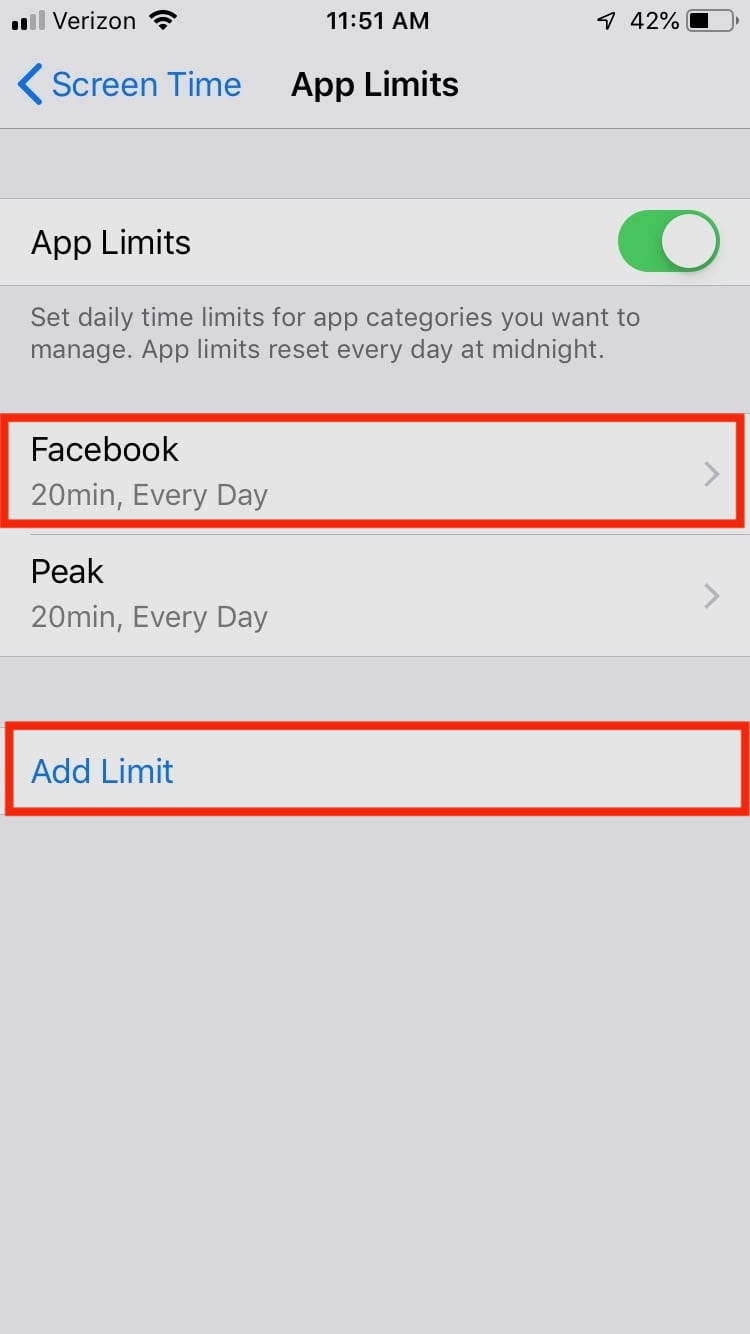

So, now I have a 20 minute limit on using Facebook. But, Screen Time makes it super easy to ignore time limits, providing options to “Remind Me in 15 Minutes” or “Ignore Limit for Today.”

I already know from experience that this is a problem. So, I set a passcode for Screen Time.


This let me choose one more option in the Screen Time limits for the Facebook app:


Now I have to enter my Screen Time passcode to get more time in the Facebook app.
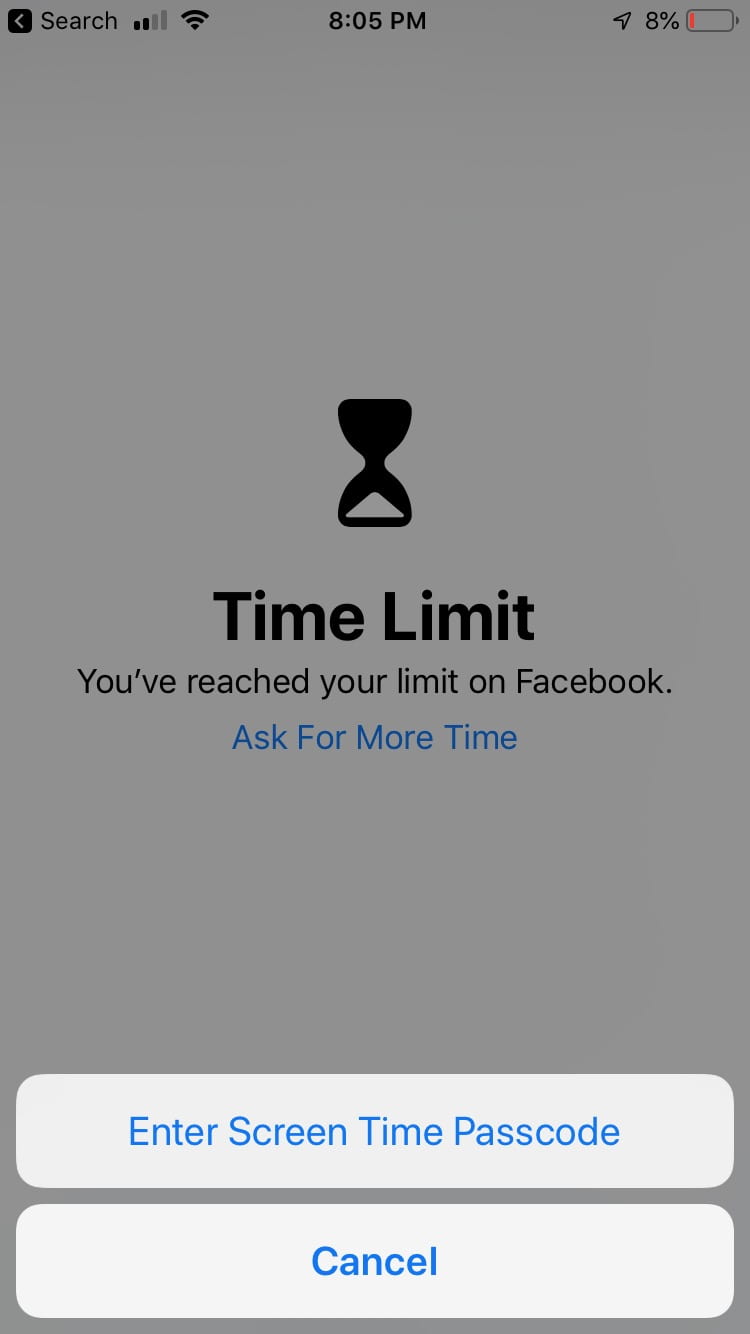
That should slow me down, at least a little. If slowing down and exercising my will isn’t enough, I’ll generate a passcode randomly (e.g., with a D10), write it down, and hide it in my locked firebox.
Besides spending too much time in Facebook when it’s open, my other problem is habitually opening Facebook when I wake my phone. To break this habit, I removed Facebook from my home screen, put it in a group with other news and social media apps, and hid it amongst the apps on a later screen.

Home Screen – Look, no Facebook! Instead, I added the Kindle app to remind me to read.

I put Facebook in a new group for News & Social Media apps…

… And hid the group amongst some little-used apps.
Of course, I can still search for Facebook…
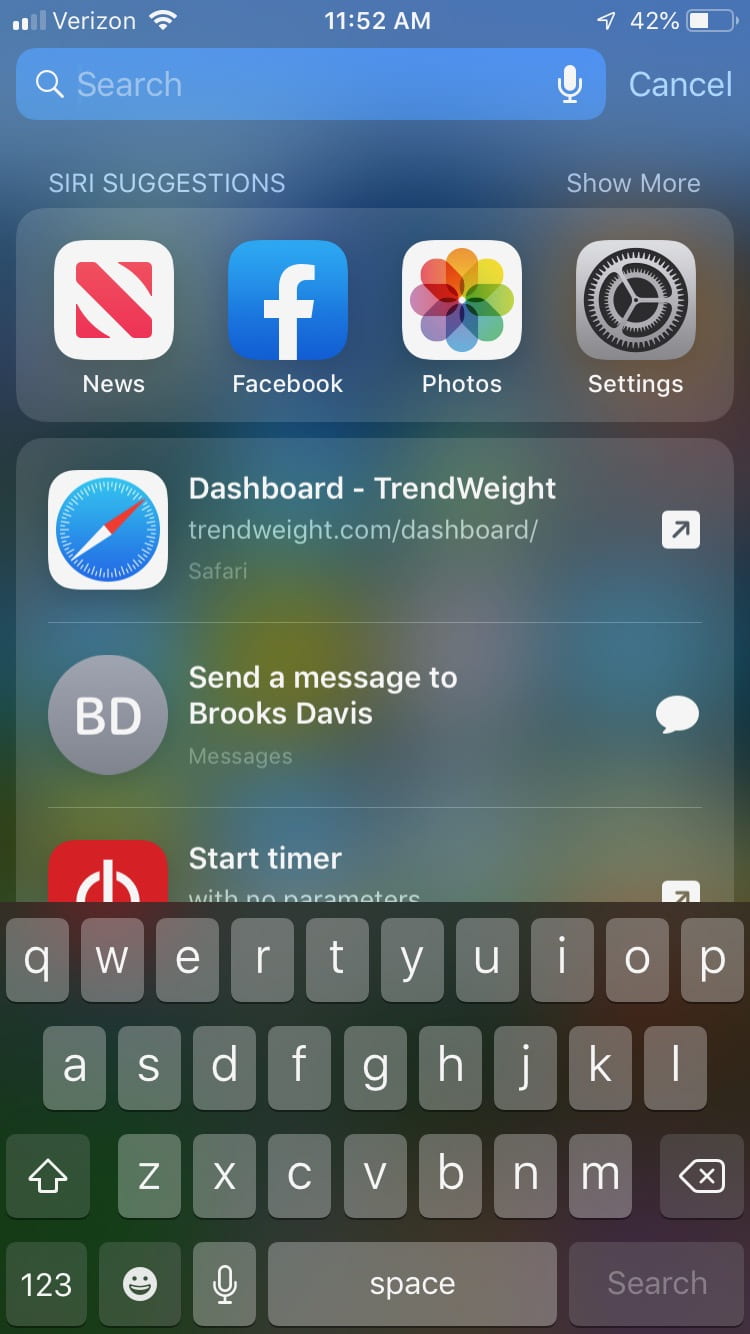
…But it would sure be nice if Siri didn’t suggest Facebook when I go searching for other apps.
So, I turned the Siri suggestions off by unselecting “Suggestions in Search” and “Suggestions in Lock Screen.”
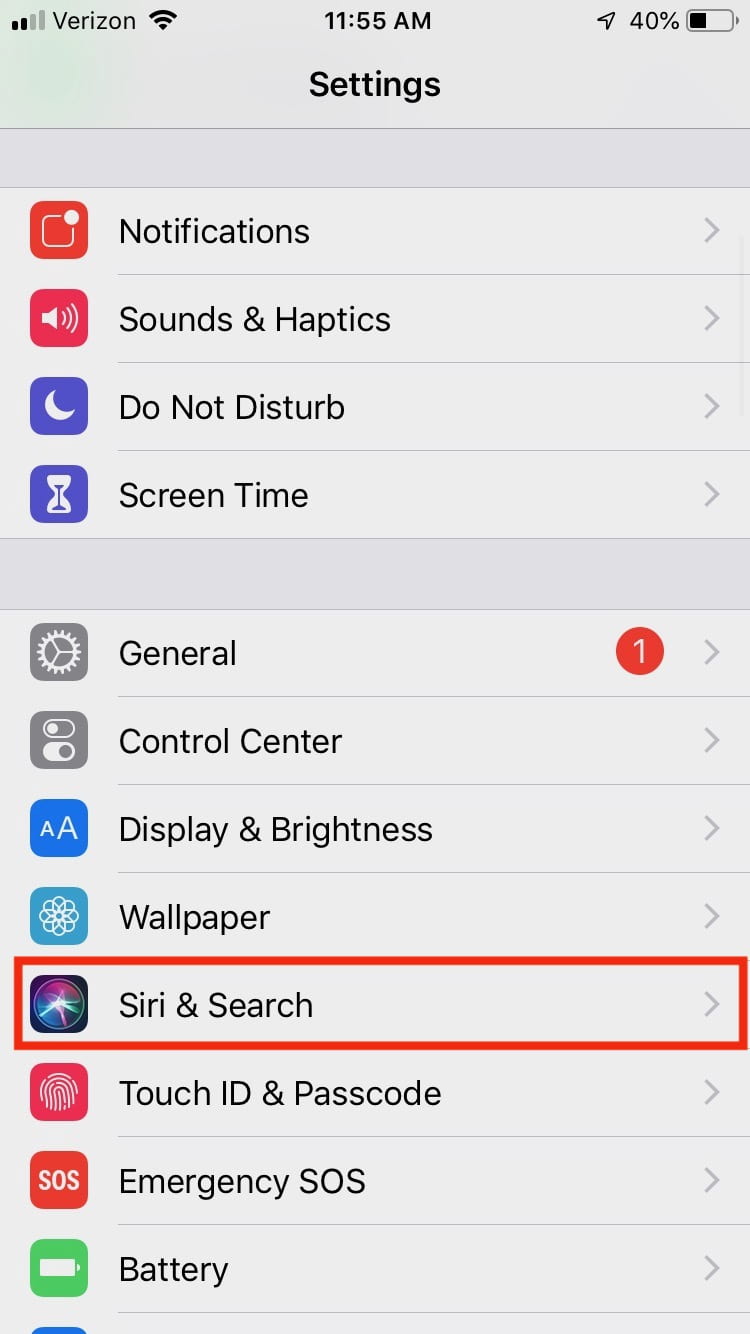

Now I get a nice blank screen when I search.

Now I just need to remember to close Facebook before putting my phone to sleep. We’ll see how this goes!
 Counting From Zero